Places and access
View registered places
Find the places linked to your account and review their access information.
The original PDF and reference app screenshots are in Spanish.
Step by step
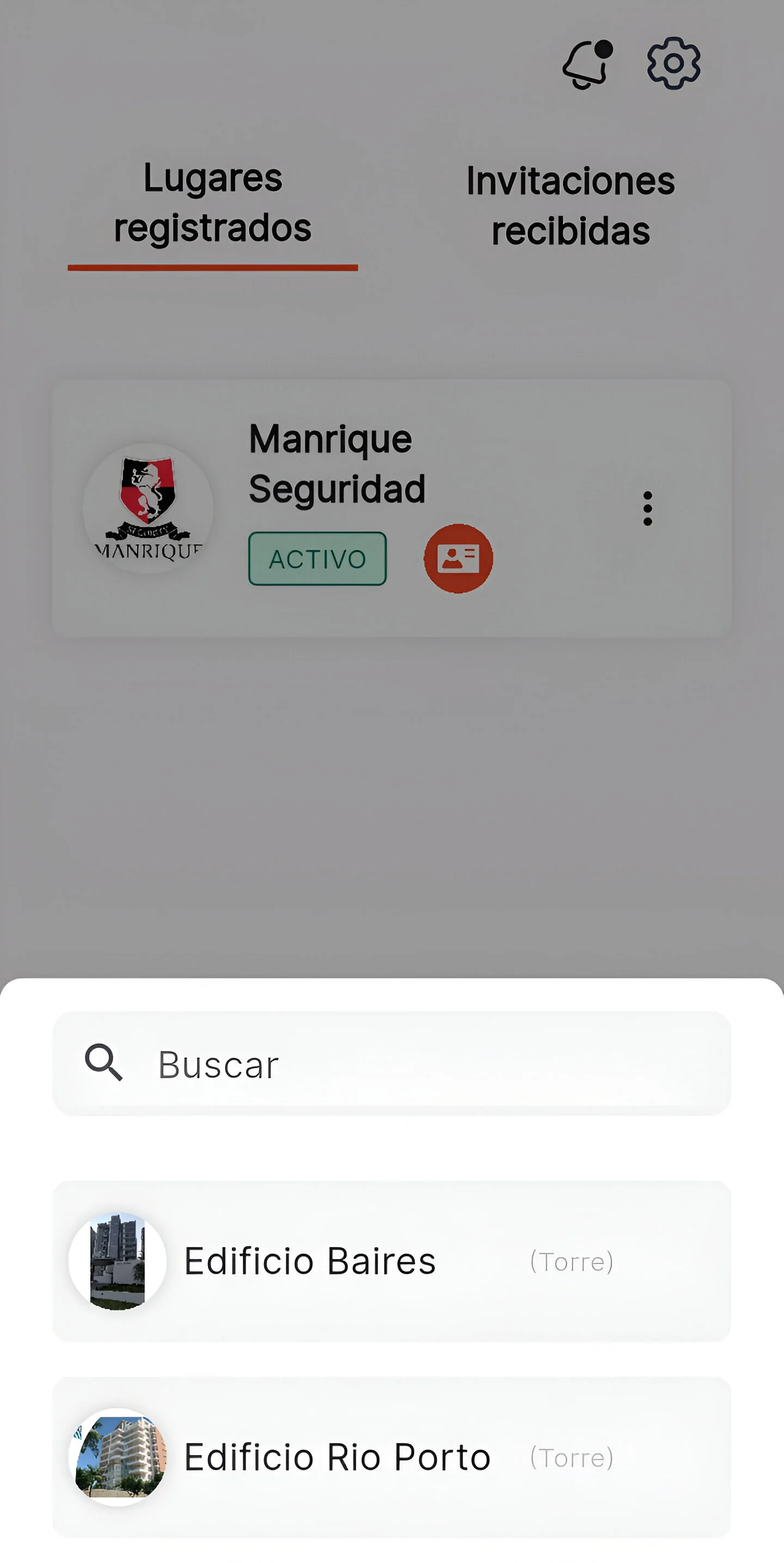
Open Registered places
This is the main tab after you sign in.
Review your places
Select the property you want to use and check the status of each place.
Explore its options
Use the card to open access, view your credential, or manage the place through its three-dot menu.
Received invitations
The adjacent tab shows the invitations that other people have granted you.